If your readers or your team hang out in Discord, that is where new posts should show up. Connect a channel once and Writizzy drops an announcement in it every time you publish, no copy-paste, no "did anyone share the new post?".
Connect a Discord channel
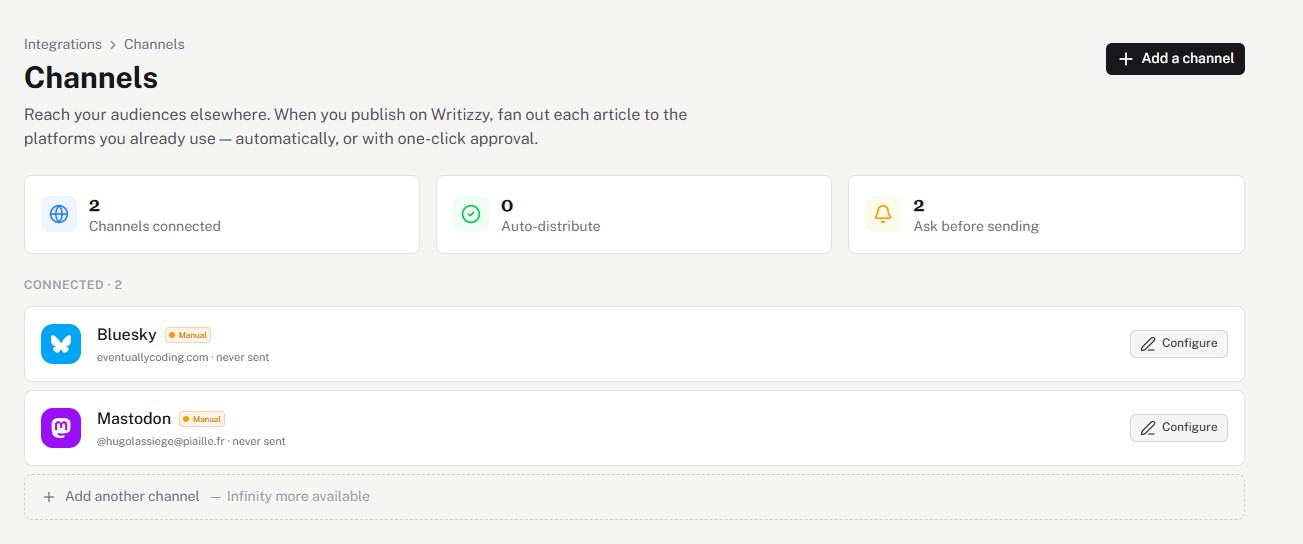
Open Channels in your blog settings, click Add a channel, and choose Discord. Point it at the channel you want announcements to land in and authorise the connection.
Automatic or ask me first
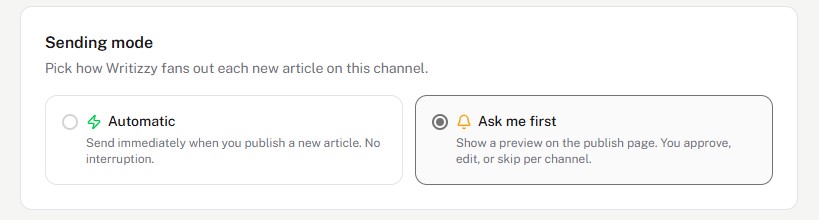
Click Configure and pick how it behaves:
- Automatic posts the announcement as soon as your article is live.
- Ask me first shows a preview on the publish page so you stay in control per article.
Good to know
- Great for paid or members-only servers: give your community first word on every new post.
- The message includes the title and a link straight to the article, so members are one click away from reading.
- Need more than announcements? The generic webhook can drive richer Discord bots through Zapier or Make.