Make (formerly Integromat) is a visual automation builder. With the Writizzy webhook as the starting point, a single publish can kick off a scenario that branches, filters, and feeds as many apps as you like.
Step 1: Create a custom webhook in Make
In Make, add a new scenario and choose the Webhooks module, then Custom webhook. Create a hook, and Make gives you a URL. Copy it.
Step 2: Connect it in Writizzy
Open Channels in your blog settings, click Add a channel, pick Webhook, and paste the Make URL into Payload URL. Click Test and connect.
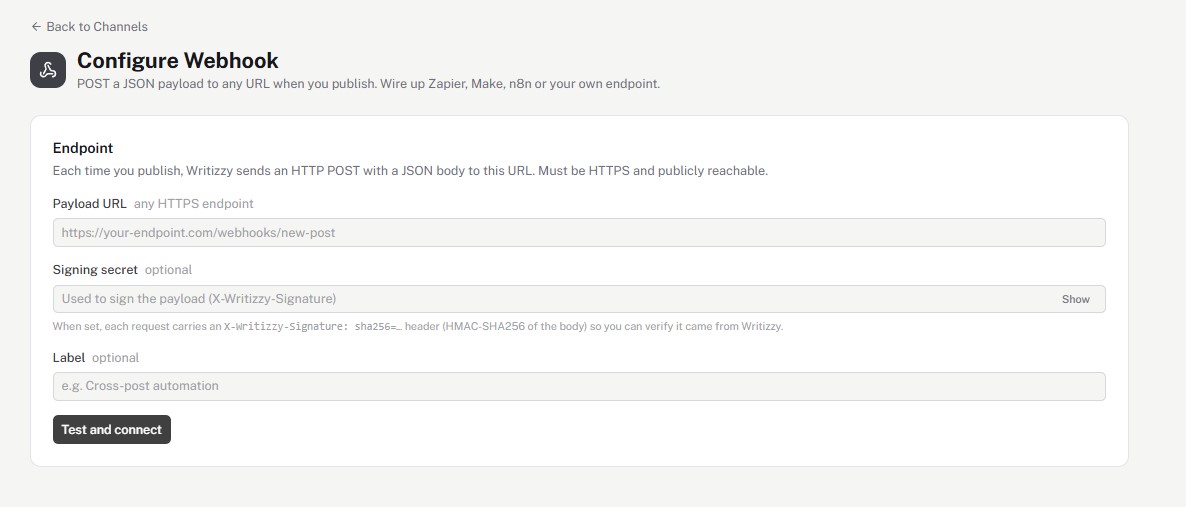
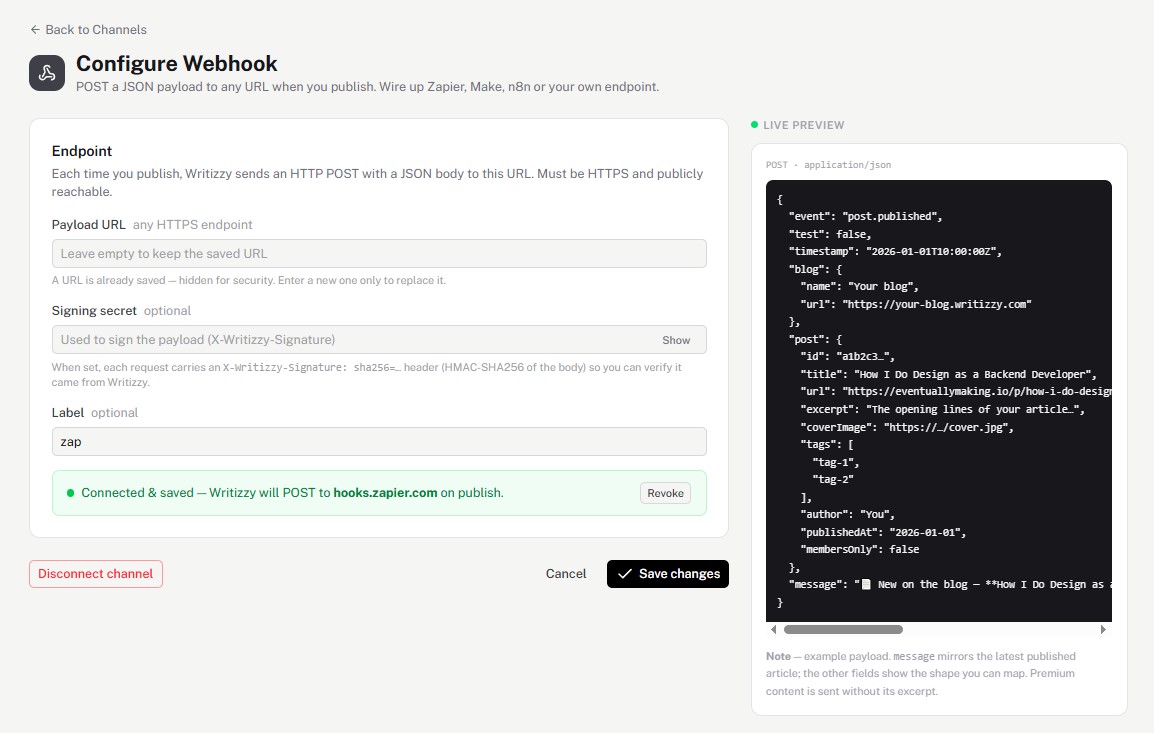
The test call lets Make capture the payload. Back in Make, click Redetermine data structure so it learns every field. The live preview in Writizzy shows exactly what gets sent.
Step 3: Build your scenario
Add modules after the webhook and map the Writizzy fields into them: post a message, append a row, create a card, send an email. The message field is a ready-made announcement; the rest let you build your own.
Good to know
- See the full payload and signature details on the Webhook reference page.
- Prefer Zapier's catalogue? The same hook works with Zapier.
- Your endpoint must be HTTPS and publicly reachable, which Make's webhook URLs always are.