Connecting your social presence to your blog is a great way to cross-pollinate your audiences. Here is how to embed a public Instagram post directly inside one of your Writizzy articles.
There are two ways to do it. Pasting the link is the quickest. The slash menu is handy when you are already writing and want to stay on the keyboard.
Copy the link on Instagram
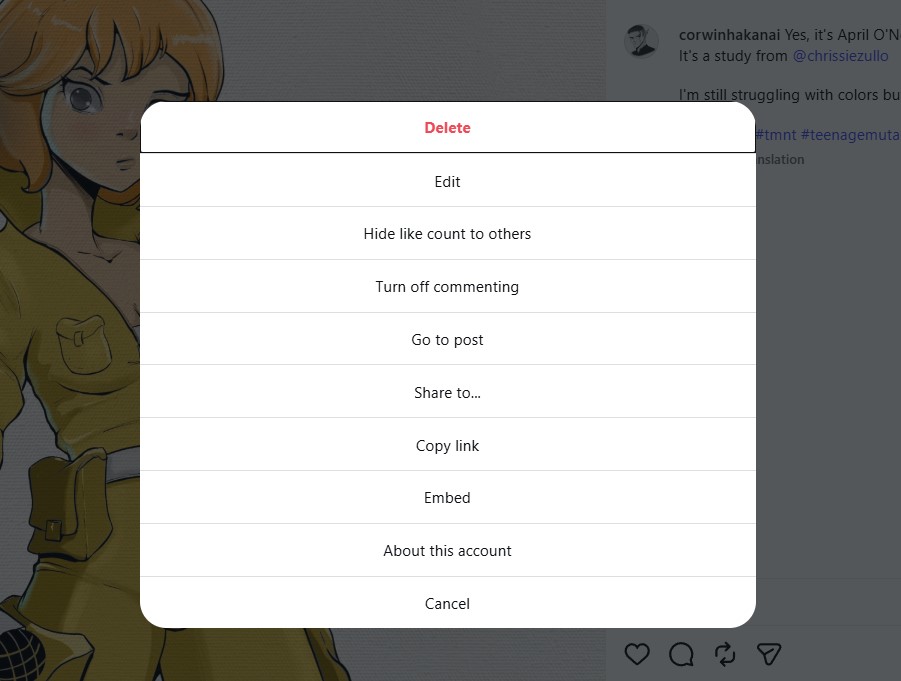
Open the Instagram post you want to feature. Click the three dots in the top-right corner and choose Copy link. This works for photos, carousels, and reels, as long as the account is public.
Method 1: Paste the link
In your post editor, place your cursor on an empty line and paste the link. Writizzy recognises the Instagram URL and turns it into a live embed automatically. There is no HTML to write and nothing to install.
Method 2: Use the slash menu
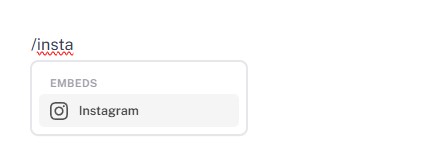
Prefer to stay on the keyboard? On an empty line, type /instagram (or just /insta) and pick Instagram under the Embeds section.
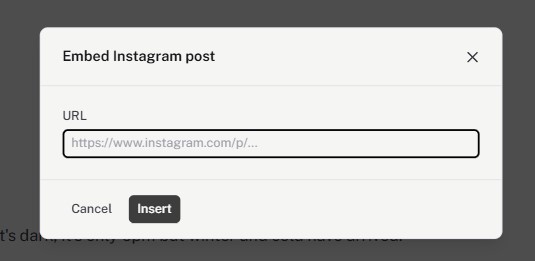
A dialog opens. Paste the Instagram post URL and click Insert.
See the result
Either way, your readers see the real Instagram post rendered inline, responsive and matched to your blog's theme. The caption, profile, and link back to Instagram come along with it.

Good to know
- Only public posts can be embedded. Private accounts will not render.
- If the post or account changes later, the embed updates accordingly.
- Want to announce new articles on your socials instead of pulling content in? That is what cross-posting is for.