Mastodon and Writizzy share the same indie-web instinct: own your content, reach people on their terms. Connect your account once and every article can land on your timeline, with the post written for you.
Connect your Mastodon account
Open Channels in your blog settings, click Add a channel, and choose Mastodon. Enter your instance and authorise the connection. Because Mastodon is federated, your instance is part of the handle (for example @you@mastodon.social).
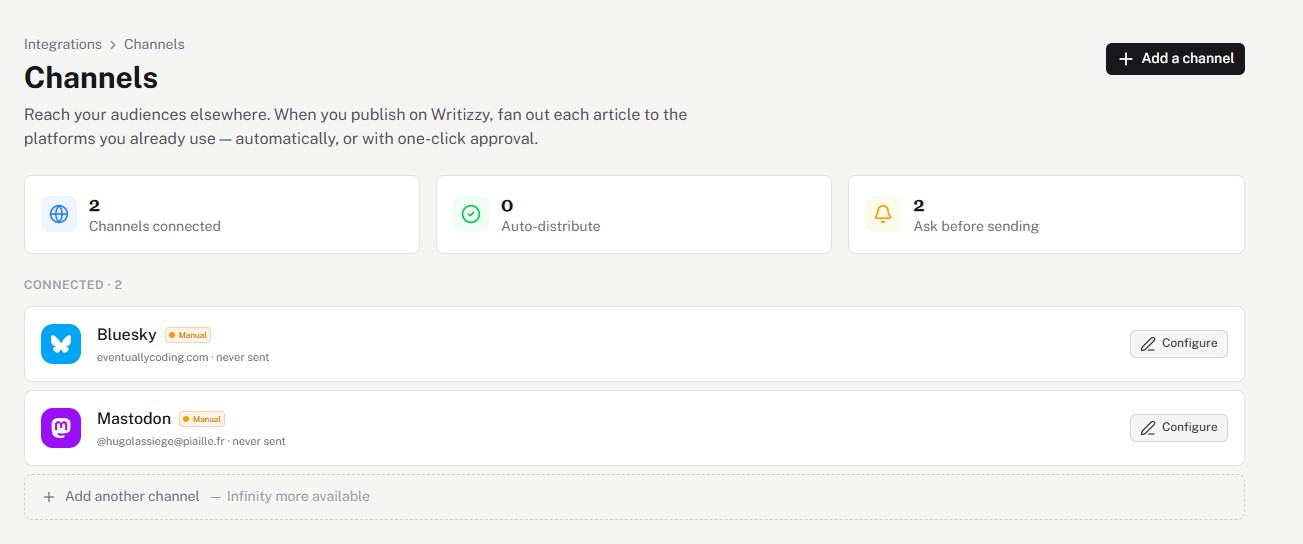
Decide how it posts
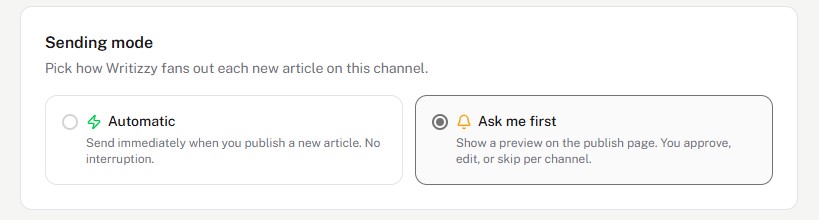
Hit Configure and pick a sending mode:
- Automatic sends the announcement as soon as you publish.
- Ask me first drops a preview on the publish page so you can adjust the wording per article.
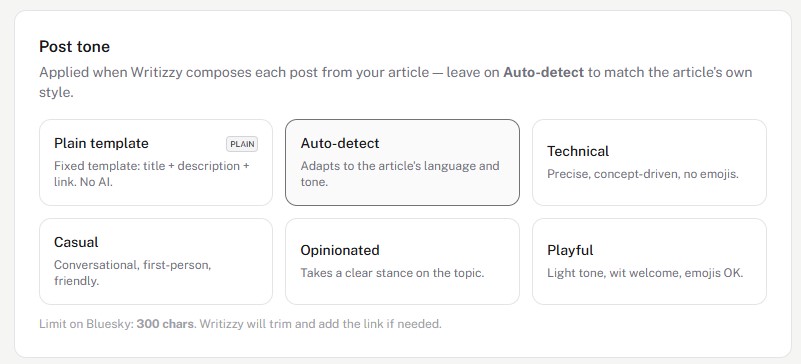
Let Writizzy write the post
Writizzy drafts the toot from your article in the tone you choose, and trims it to fit Mastodon's character limit while keeping your link intact. Leave it on Auto-detect to mirror your article's own voice.
Good to know
- The announcement links back to your article on your own domain, so the SEO value stays with you.
- Reach the wider fediverse crowd by pairing it with Bluesky from the same publish.
- See the full cross-posting feature for tones and the other networks you can connect.