LinkedIn is where a lot of professional readers actually spend their time. Instead of remembering to write a post every time you publish, let Writizzy announce each new article for you, in a tone that fits the room.
Connect your LinkedIn account
Open Channels in your blog settings, click Add a channel, and pick LinkedIn. Authorise the connection once and it stays linked for every future article.
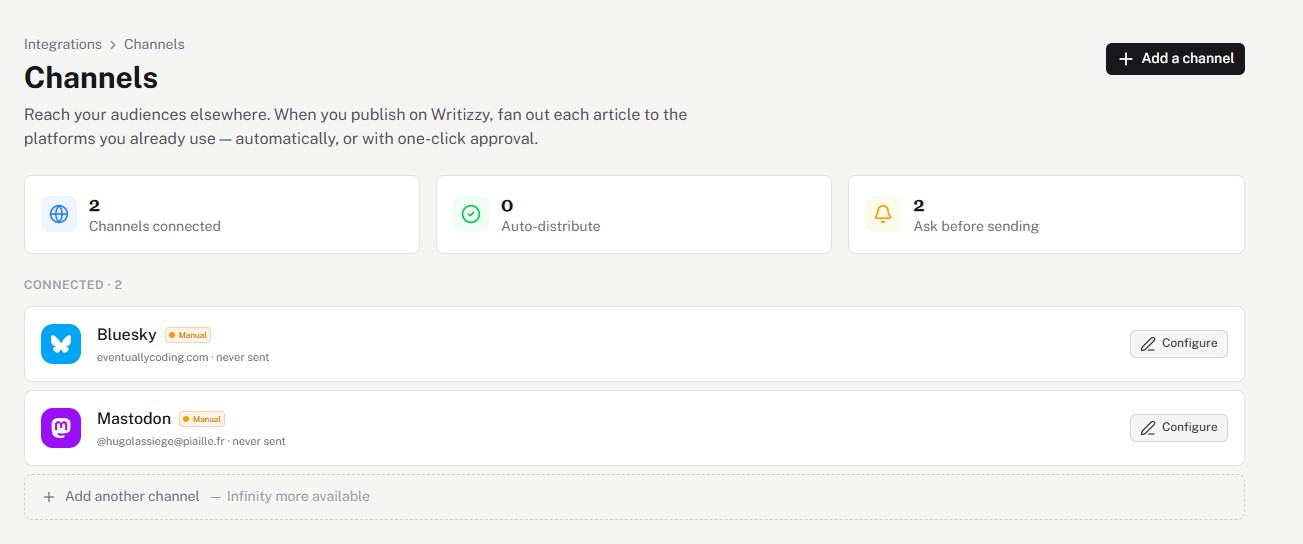
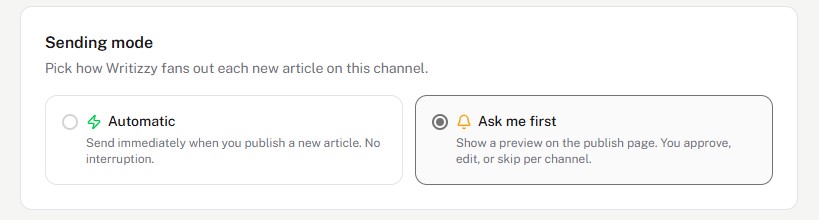
Choose how it posts
Click Configure and choose your sending mode:
- Automatic publishes the announcement the moment your article goes live.
- Ask me first shows you a preview at publish time so you can polish it before it goes out.
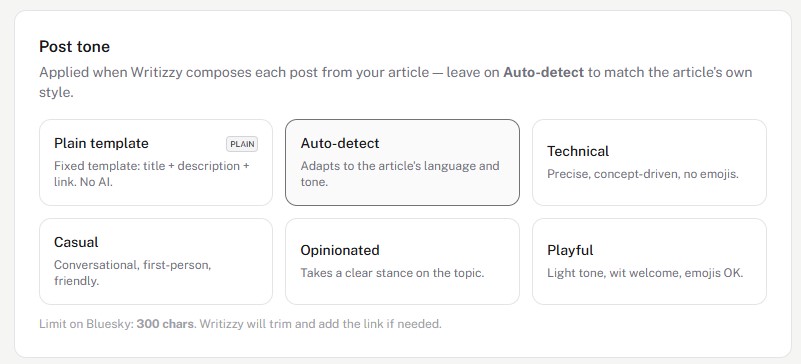
Pick a tone that fits
LinkedIn rewards posts that sound human, not like a press release. Writizzy writes the announcement from your article and lets you set the tone, the Casual or Opinionated tones tend to land best here, or Auto-detect to match your own voice.
Good to know
- The announcement links back to your article on your own domain, so the SEO value stays with you.
- Want to reach more networks at once? The same publish can fan out to Bluesky, Mastodon, and more.
- See the full cross-posting feature for the complete approval flow.